A company manager (Primary) account is given by default for each company
A primary account can add a new account and assign roles.
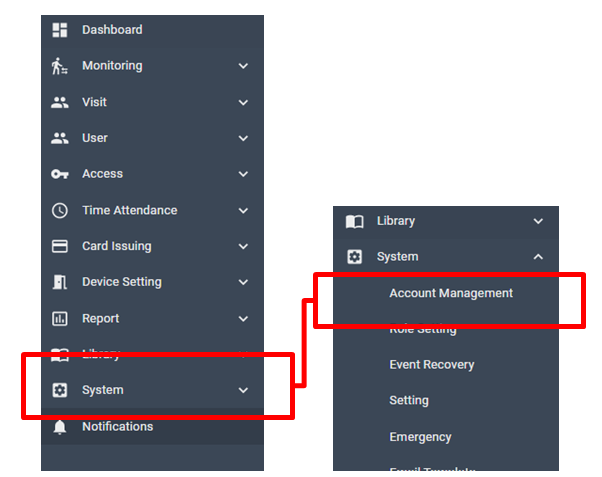
[ System > Account Management ]
Add new account
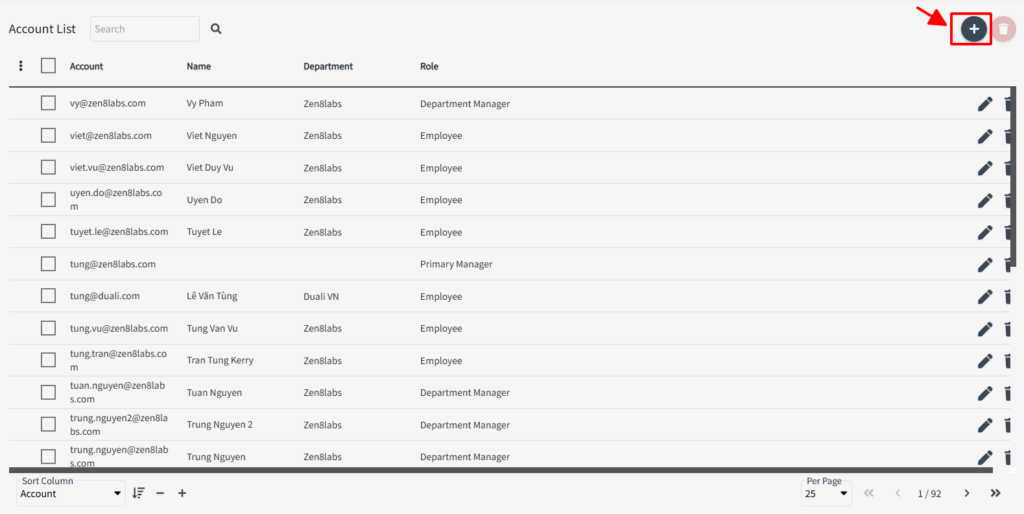
In Account management, all registered accounts is being listed.
Click + Icon to add new account.
Fill in the account as email, default password (minimum 6 digit) then assign a role from the list
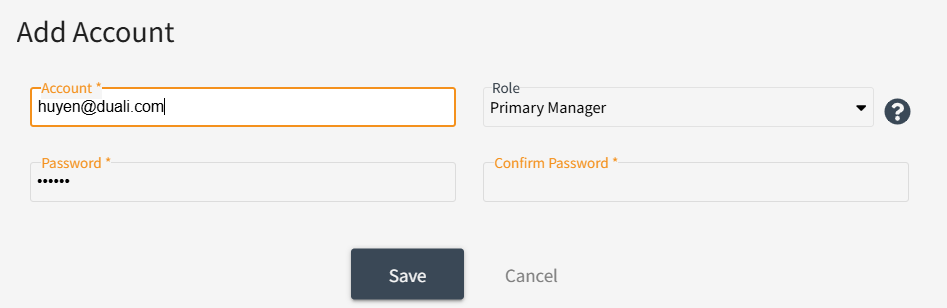
There will be 3 Role types as default, and the Primary manager could add a new role and identify its authority.
Primary manager has all privileges other than Register Device and Register Company.
Secondary manager has privileges only to view all data (not able to change).
Employee has privileges only to view all events in real-time of that employee (not able to change).
Once fill-out all then click [SAVE], you’ll see this notification and it means the new account is registered into the system
