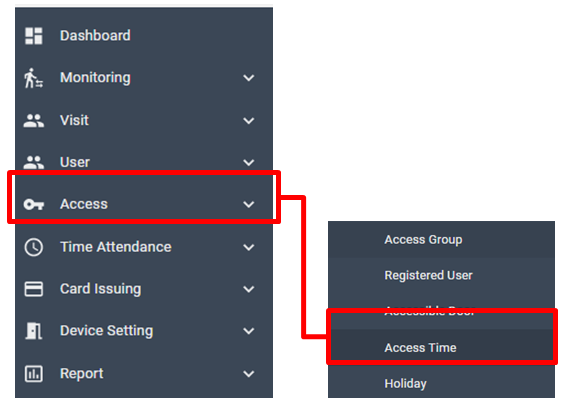
Manager can customize Access Time in this menu. It is also capable to manage Access Time. It defines accessible time and door open time (physically).
In the Access Time menu, you can define different conditions by the days of the week.
Following Access Time are pre-registered values by the system. It’s not able to edit or delete.
Accessible 24h: To give a grant of limitless access to registered users.
Not Use: To restrict access for all users.
For those sites that required high level of security, please add customized Access Time to manage the access system more efficient and secure.
Access Time is being used following cases.
- To set Door active Access Time, and passage Access Time while Door (device) setup
- To set the accessible Access Time of the access group
Add new Access Time
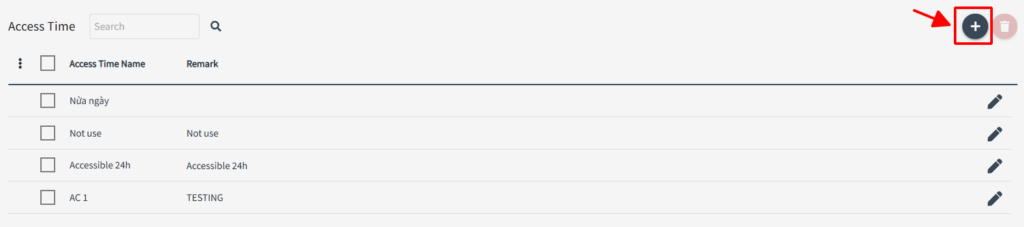
To add new Access Time, click + from the list
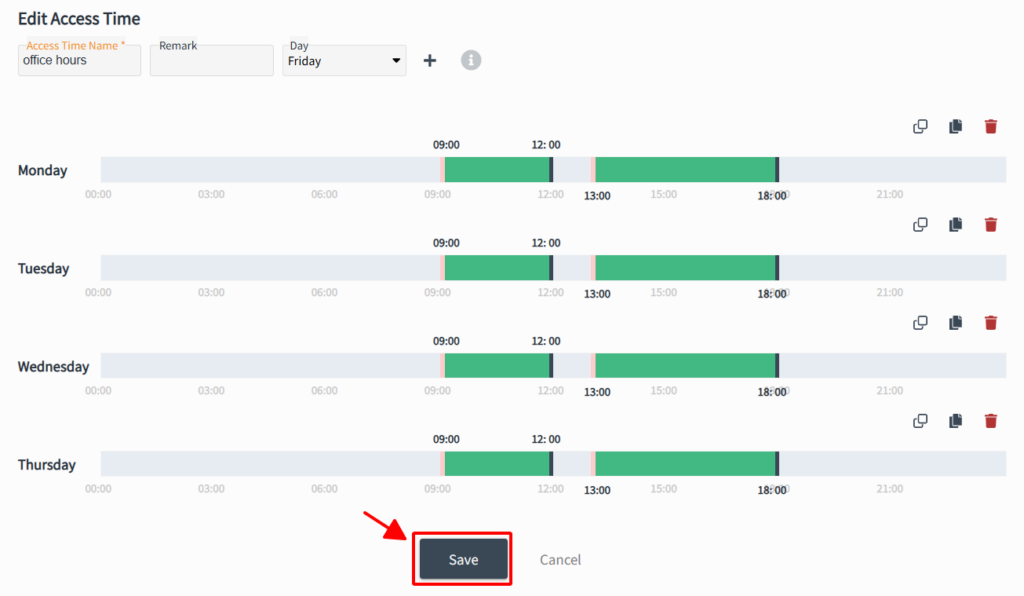
Input name of the Access Time, assign date/time to apply, then click [SAVE]
Edit Access Time
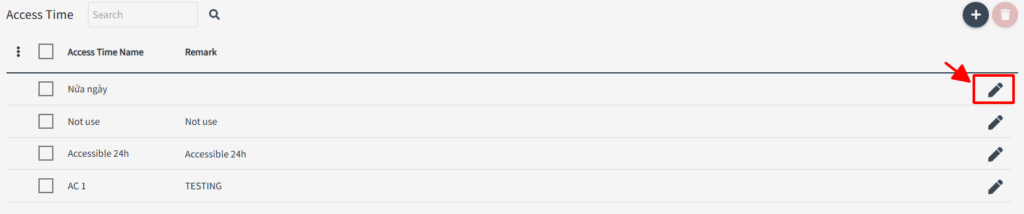
To edit existing access time, select and click edit icon
Edit date/time and ranges then click [SAVE]