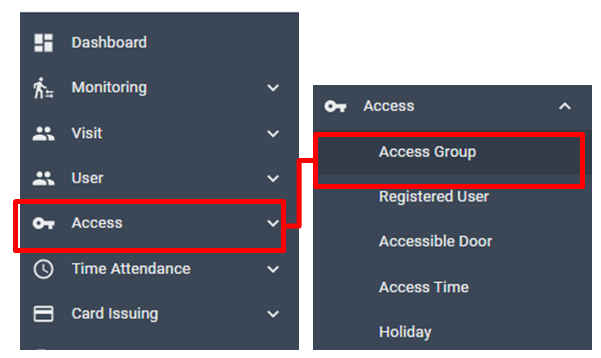
[ Access > Access Group]
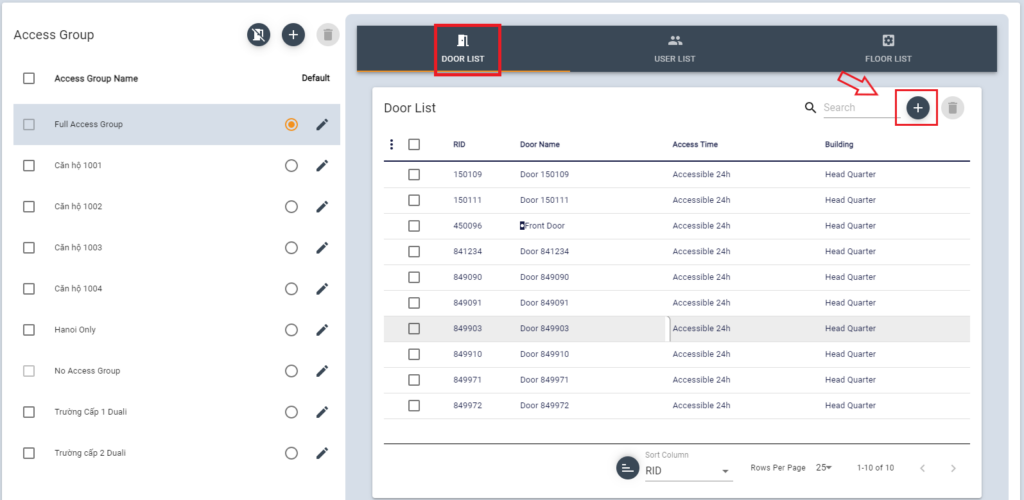
Select Access Group, then Door list assigned for this group will be shown.
Click + Button to add doors.
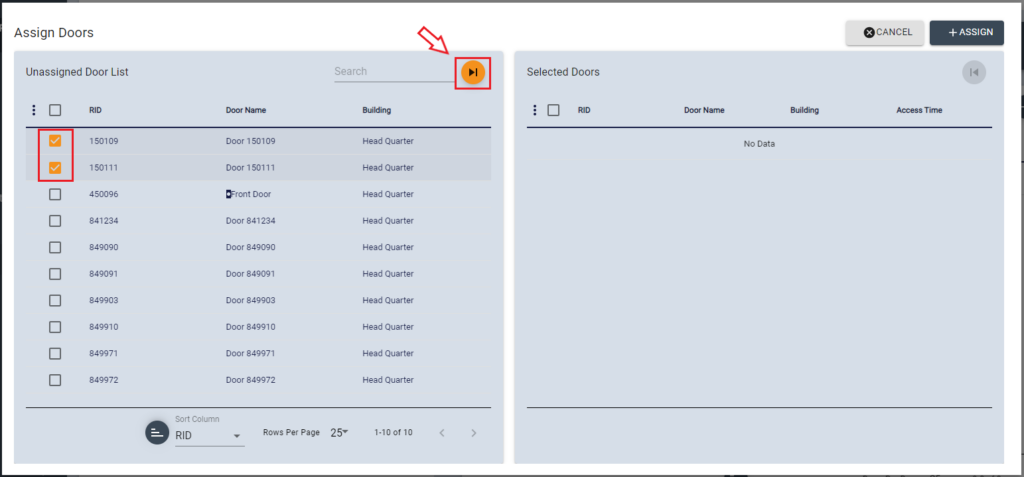
Select Doors from the list in the left, then click move button
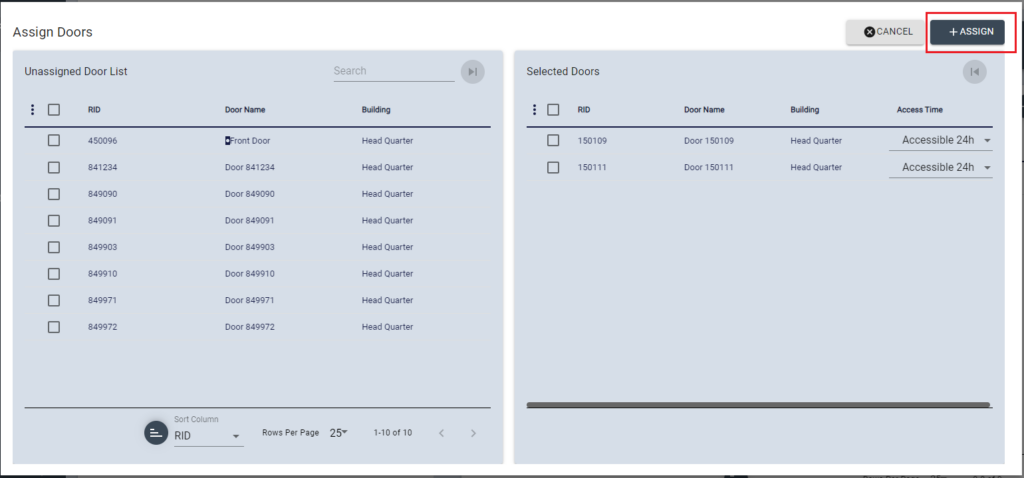
Confirm selected doors, then click [ASSUGN + ] button
It’ll send the system and it’s applied after success notification.