In Device Setting menu, you can manage Building, Door (Device) and messages.
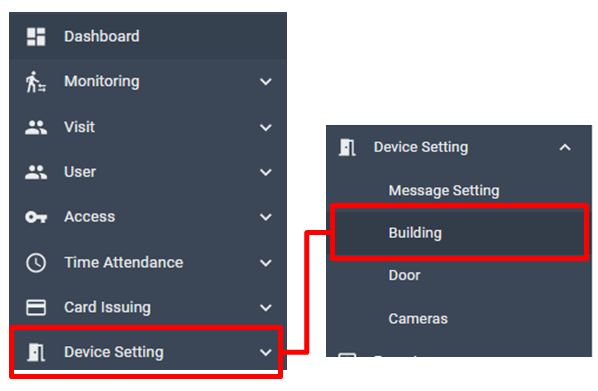
[ Device Setting > Building ]
Add New Building
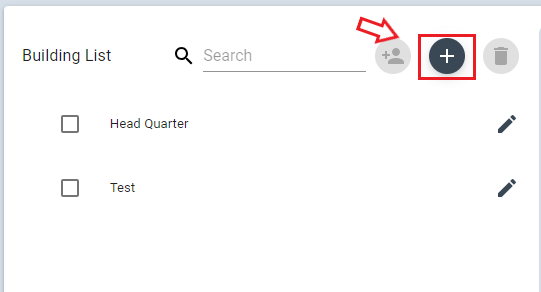
To add a new building, click + from the list.
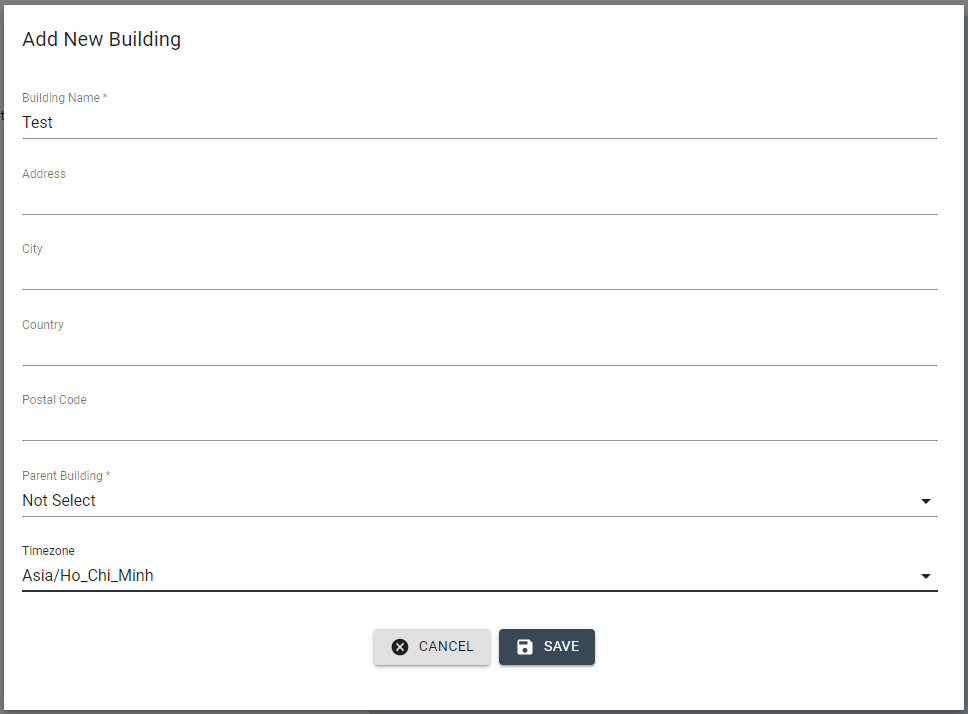
Input Building name and other information, select Parent Building, Timezone (Timezone should be selected in the country where installed the device) then click Save
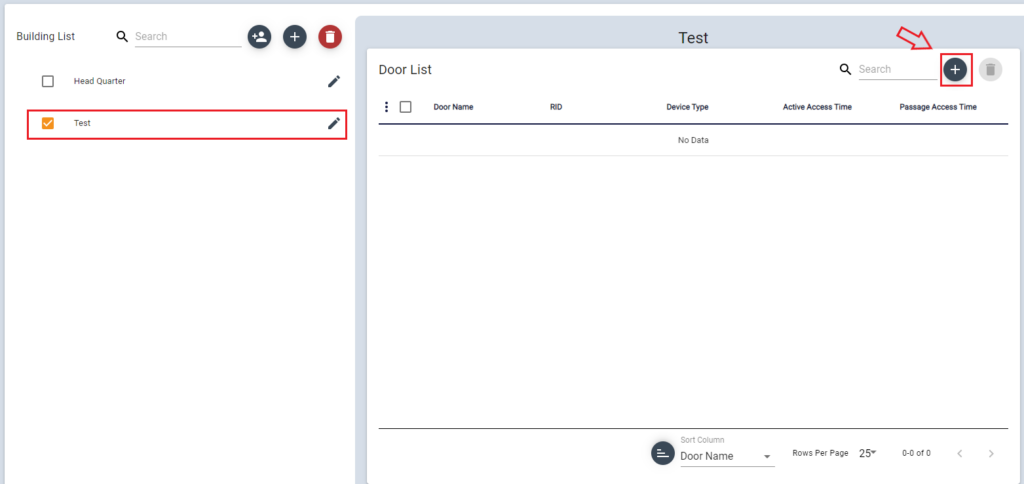
Then check this Building from the list, click + button to add Doors to this Building.
(Before proceeding with this procedure, Door registration must be performed first.)