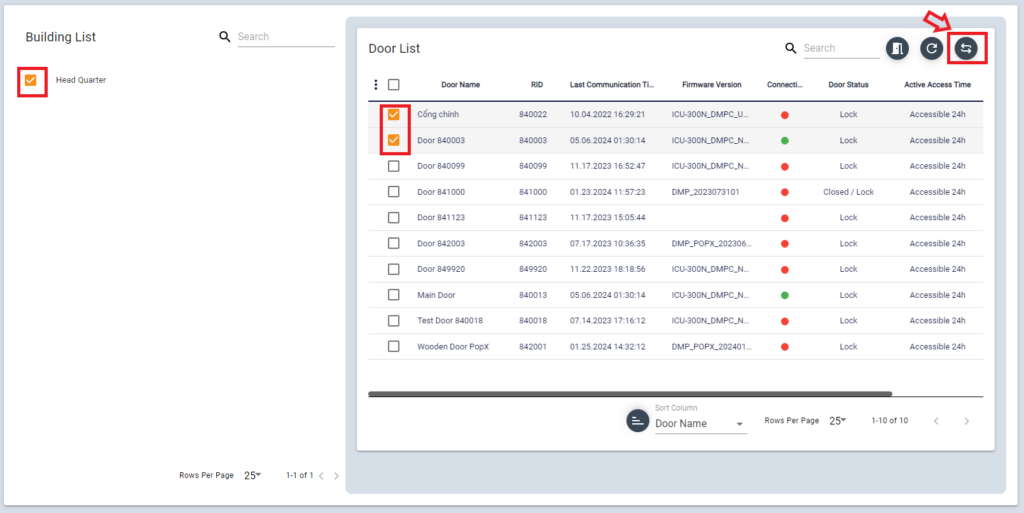
In Device Control menu, you con open door, reboot device and sync data.
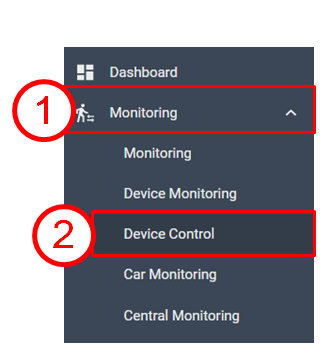
- Manual Door Open
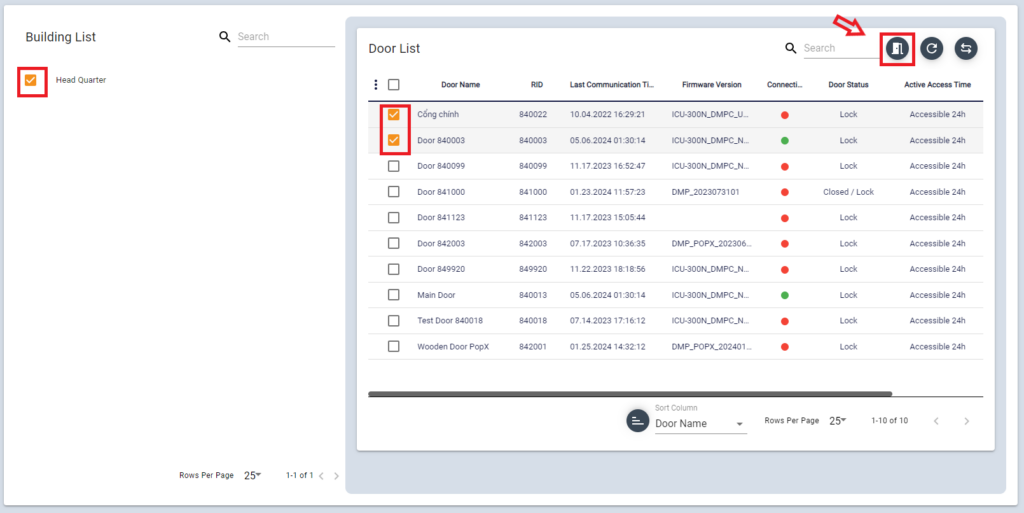
To open specific door, select Building > Door , then click door icon
Then this pop up displays
Select time to open the door and click [OK]button
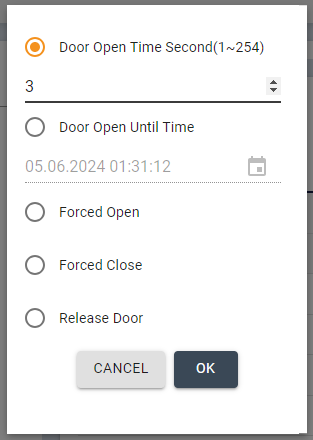
- Door Open Time Second – default open is 3second. you can input 1~254 (second)
- Door Open Until Time – means make the door open till selected date/time
- Forced Open – Door is being opened until it gets closed command
- Forced Close – Door is being closed until it gets open command
- Release Door – Door I/O will be released.
2. Door (Device ) Reboot
To reboot device remotely, select the Building > Door
Then click reboot icon
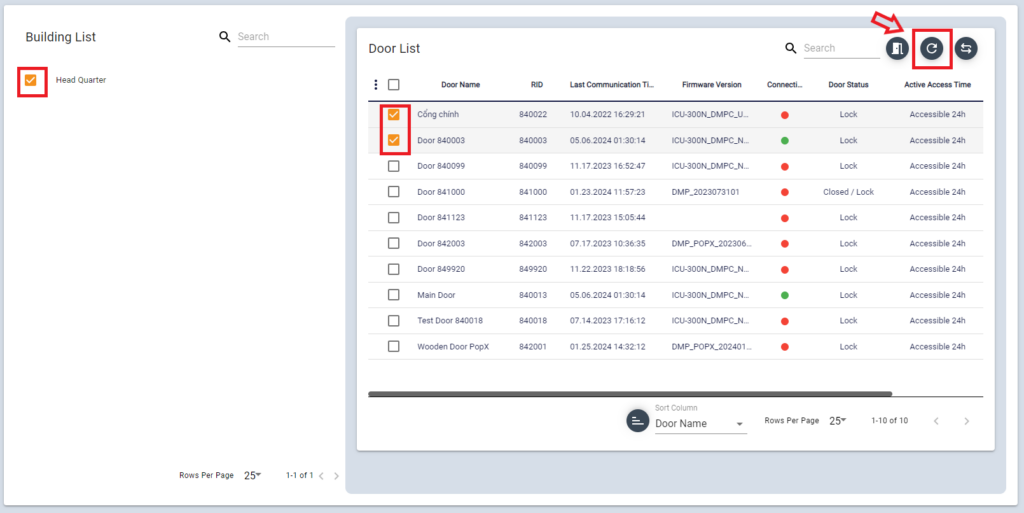
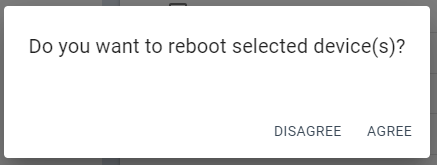
When click [AGREE] button , the device will be rebooted.
3. Refresh Device Info
To refresh device info, select the building > Door
Then click Refresh icon