Access Group is a combined user set that has the same access condition. A user must belong to one access group only. If the Manager does not create a new access group, the registered User ID has full access to all doors automatically
There are two access groups in DUALL MASTER (DM) system as pre-setting.
* Full Access Group: This group has access to All doors at any time. Using this as the default value for sites requires less security and allows unlimited access to all employees
* No Access Group: This group has NO access to any door at any time. Using this as the default value for sites requires an extremely high level of security.
Default Value: When the manager registers users, this default value (access group) will be assigned automatically in case the manager has not assigned an access group to the user.
Full Access Group is set as default in the system. To change this, create a new access group.

[ Access > Access Group ]
Assign Access Group to Users
From the access group menu, you can add Users to selected Access Group
Select the Access group
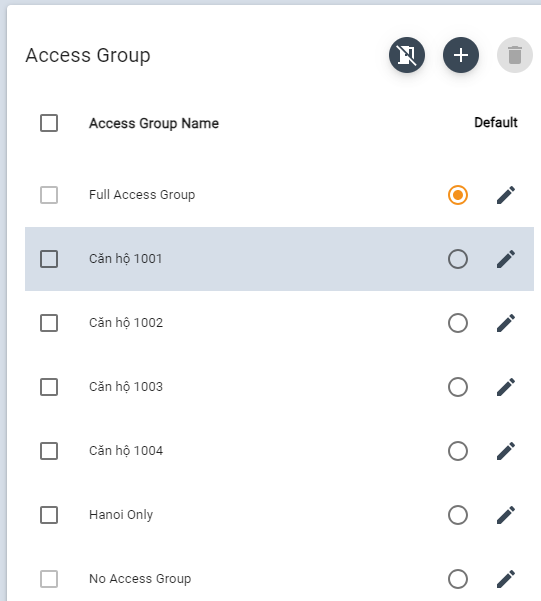
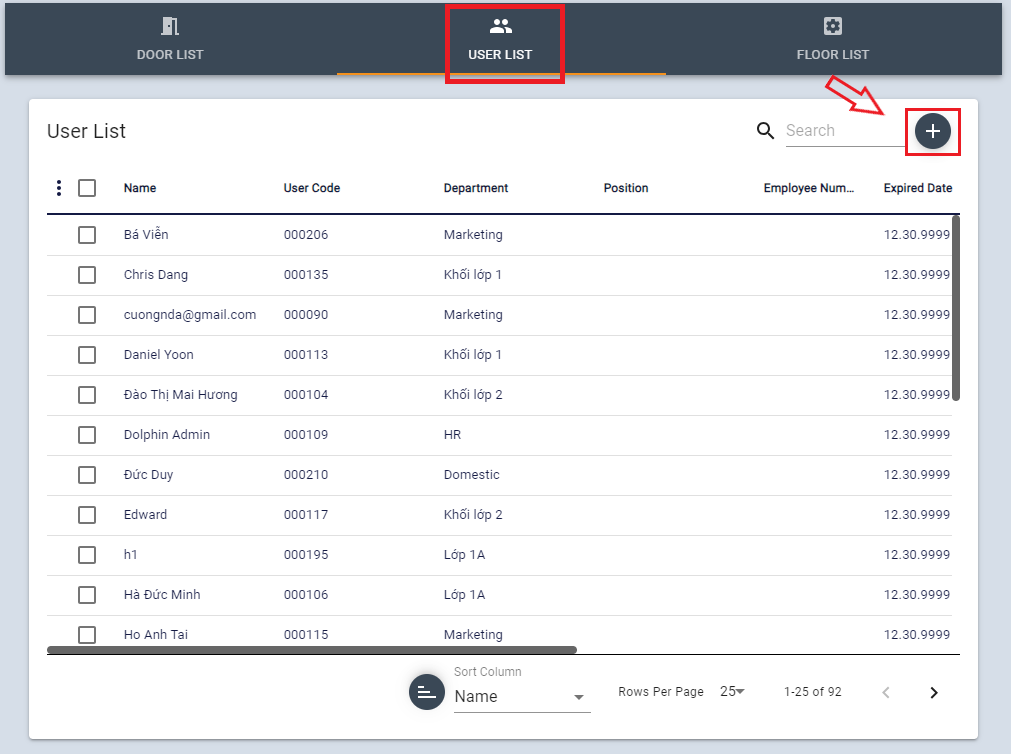
Then List of Users in this group will be shown.
Click + button
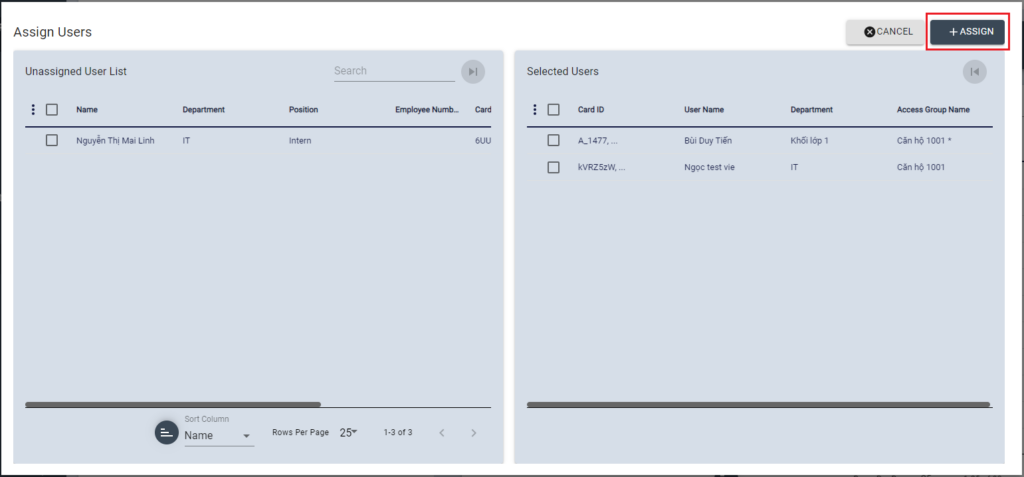
Select Users to assign to this access group.
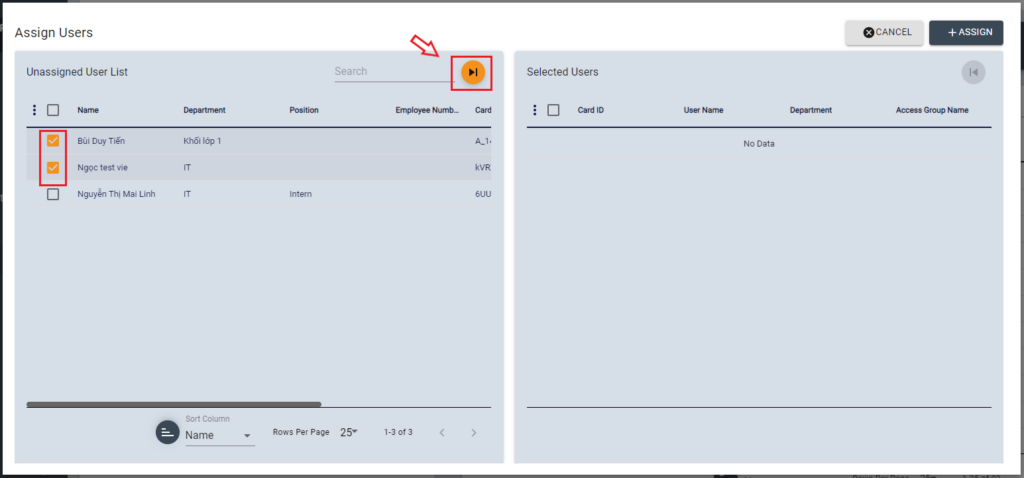
Click Transfer icon to move selected Users to the right and check the list is correct, then click [+ASSIGN] button