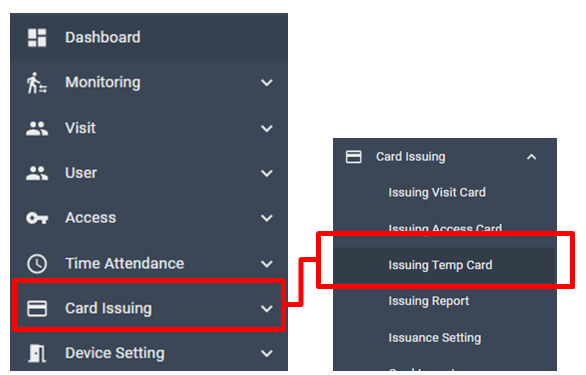
[ Card Issuing > Issuing Temp Card ]
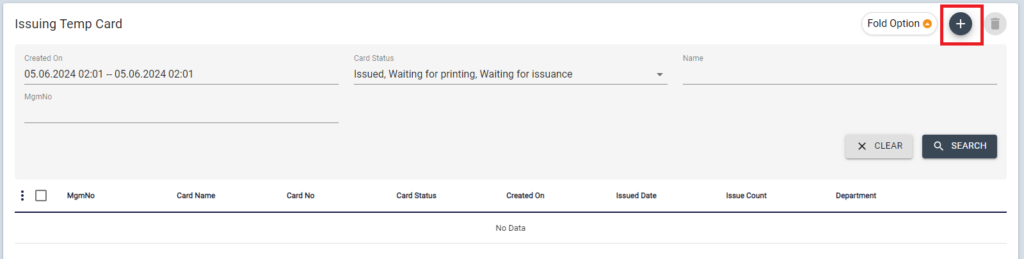
To issue Temporary cards, click + button from the Issuing Temp card menu.
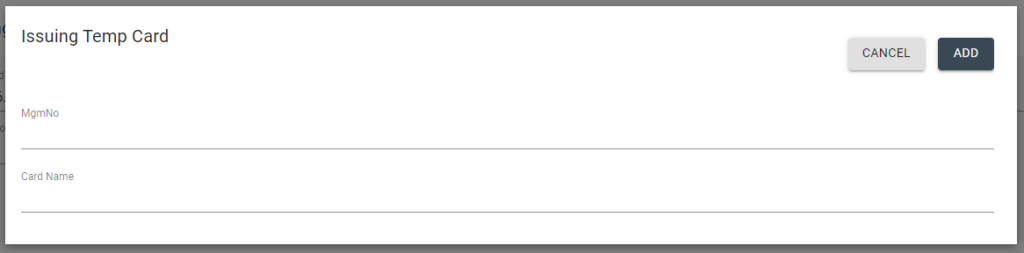
Input Management number, Card name then click [ADD] button
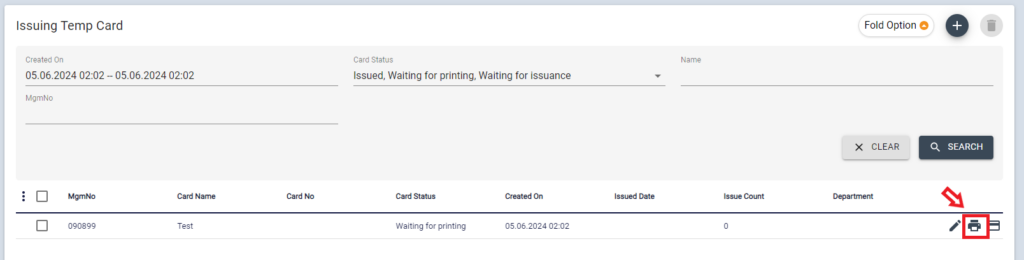
Then this card will be added into the list, click Print icon
Select Card printer (Card printer should be connected via USB in this PC)
Select Card Layout, then the preview image of the card will be shown
Click [PRINT] if all information is correct.
