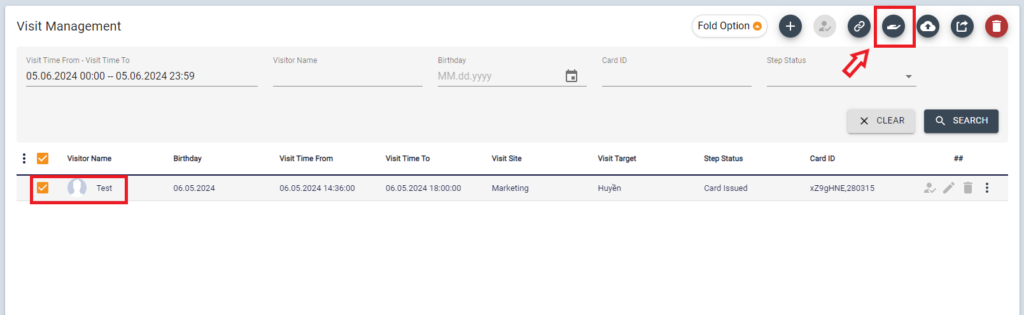
Once Visit is registered, a Notification will be sent to the approval person

A notification icon will be shown from Visit menu.
Click [Review] Icon from Visit > Visit Management
Check the Visit information then click [Approve] or [Reject]
Skip Assign door process to grants access to Default Doors.
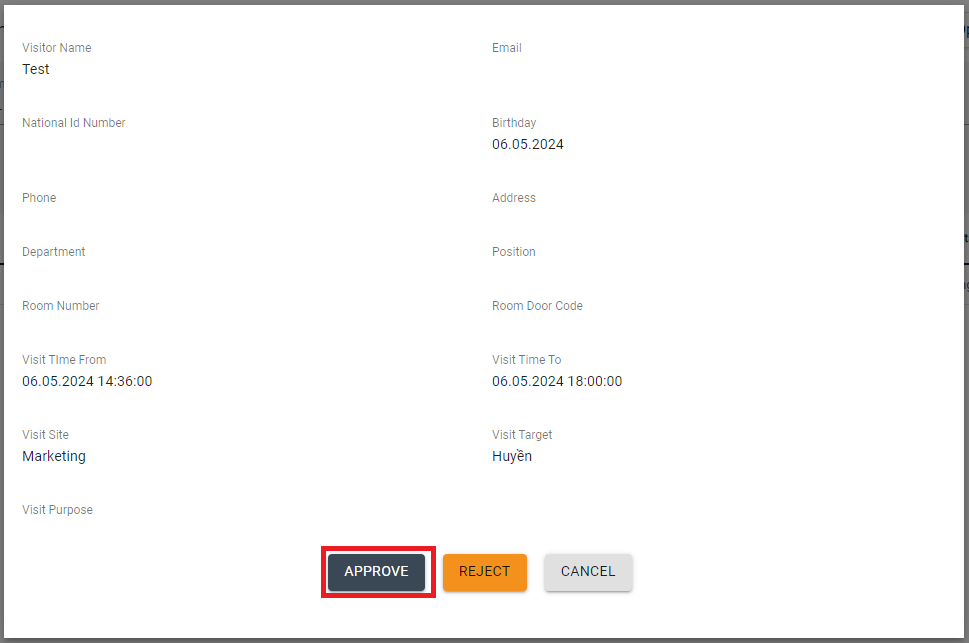
When the visit is approved, the status becomes “Approved” and QR pass becomes valid on Visit Date.
Assign Visit card
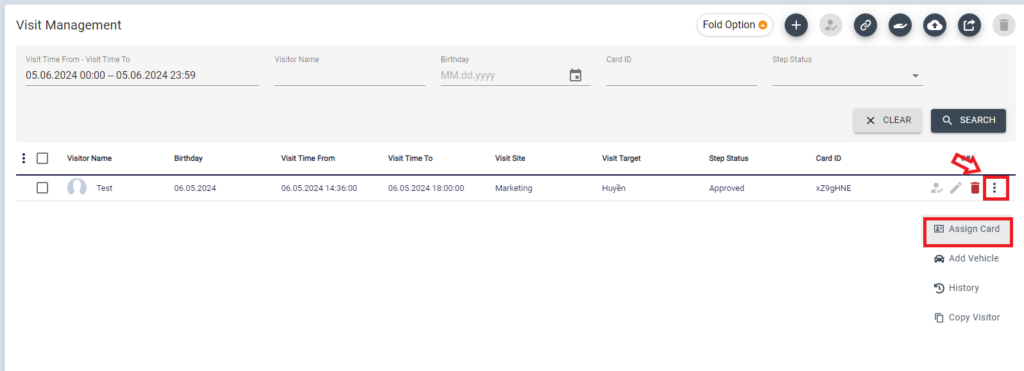
In case operating the Reception desk and assigning Visitor CARD (RF Card), Click card icon when the Visitor arrives.
Then tap available RF Card into card reader (in this page) to get UID or input an available card numberand click [SAVE]
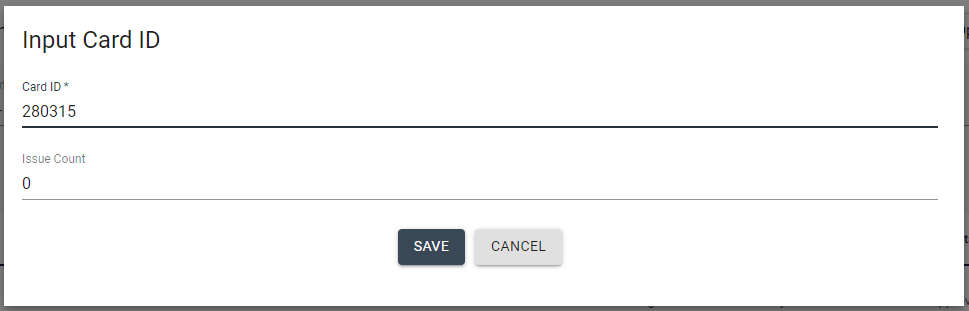
This visitor card will be valid from the set date/time.
After the meeting is finished, please collect the Card and click the return Icon.