There are several ways to register Visit
Pre-registration
- Register by employee
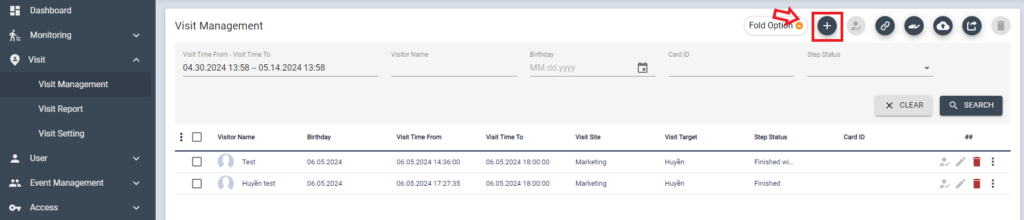
From Visit management menu, click + to register Visit
Fill out the mandatory information of Visitor, then click [SAVE] button
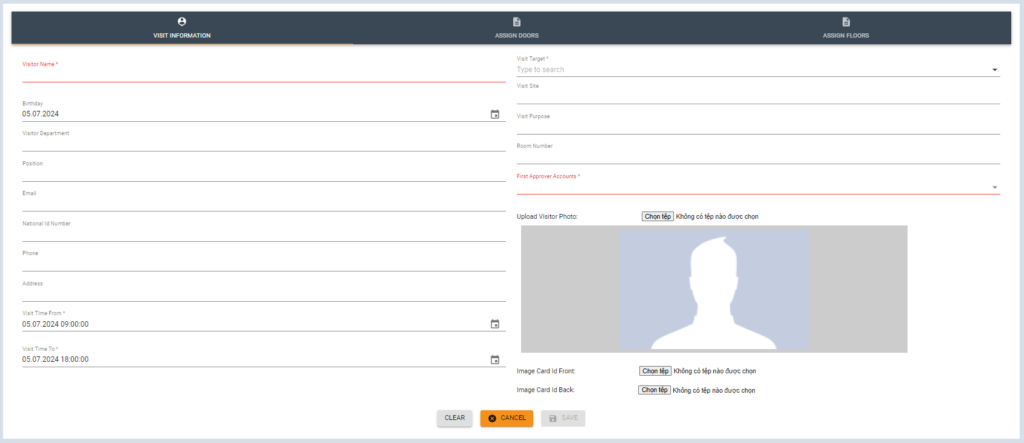
** When Door is not assigned manually, the access grant for the default door (set on Visit Setting)
2. Register by Visitor
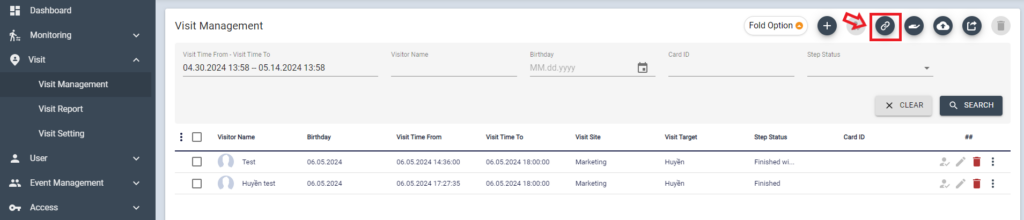
To send invitation to visitors, Click sharing icon from Visit management page
Input email address then click comma (,) then [SEND]button
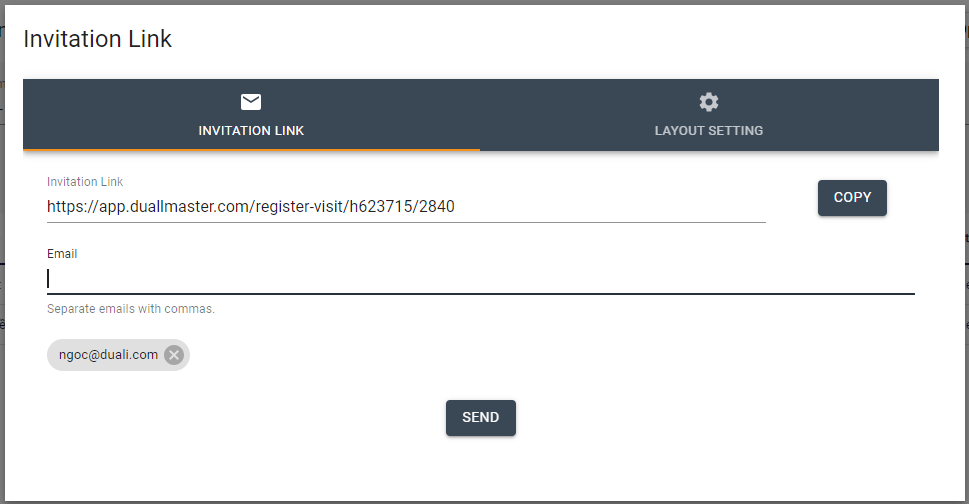
Or copy the link and send it to the Visitor via SMS.
Once the visitor open this link, they can input personal information then click [SAVE]
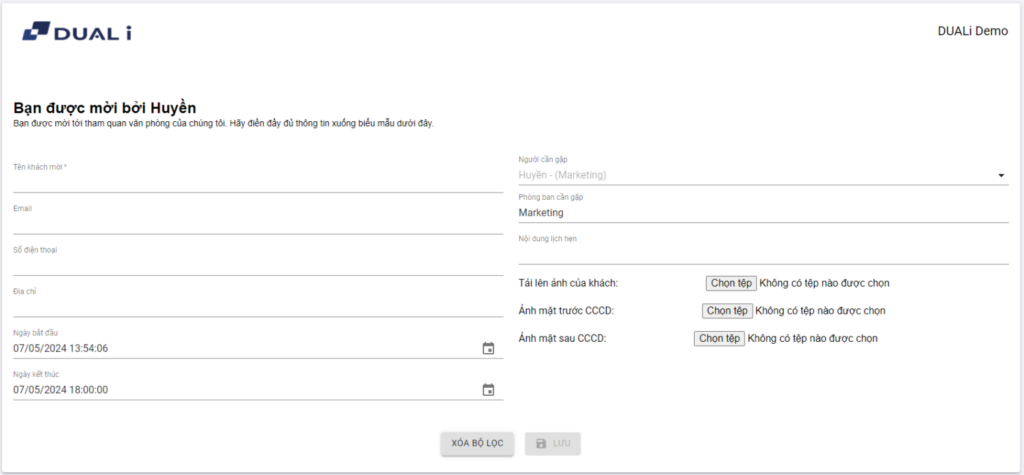
Then QR Pass will automatically send to the Visitor via email
When system set as “No Approval”, The QR pass becomes valid immediately for the date of Visit/Access Door.
When system set as “One Level Approval”, This QR Pass is only valid after the manager approves the visit.
On-Site Registration (Self-Registration)
Install on-site Visit APP(web page) for Reception. This application is designed for ITOUCH30A to operate as self-Kiosk machine. This application step (requirement information) can be customized by customer request.
Click [START] button

Input Name, Contact information then click [Next]

Input Peron/ Department to Visit then click [Next]

Once the visit is registered, QR image will be displayed and also send to email/SMS.